Your structure is in place from the start.
You define the outline, document types, and approval paths with an auditor who knows the auditor's side. This way your structure is created once, and you go into the next audit well prepared.
Popular: document control, audit management, pricing
Does your QM system already exist, in folders, files, or other software? Then it moves to eQMS in 90 days with an experienced auditor, and at the end your team works in eQMS, well prepared for the next audit.
Your QM system is in place, and now it should move to eQMS? In onboarding support, an experienced eQMS auditor goes through this move with you for 90 days. You clarify goals and schedule, review your processes, set up the outline and document control, and meet in six fixed sessions until everything is in its place.
Your auditor works with you in eQMS. What you define together is created right where your team will work every day, and responsibility for your QM stays with you.
Building your QM system first? Then project support through to certification accompanies you through the build-up to the certification audit, and the QM kickoff can be your first step.
Clear workflows with one version for everyone, and an auditor who knows the right sequence.
You define the outline, document types, and approval paths with an auditor who knows the auditor's side. This way your structure is created once, and you go into the next audit well prepared.
Six fixed sessions give the move a rhythm, and the final check shows at the end what is done and what comes next.
Each document has exactly one current version, your colleagues find the right work instruction themselves, and everyone works from the same version. Follow-up questions decrease, and your QMR gains time for their processes and their team.
Much is already in place, in folders, in Word and Excel, and in established workflows. The move is a project alongside daily business, and with fixed sessions and an auditor who knows the right sequence, it moves forward step by step.
With your auditor, you review what is valid, and the valid documents move into the outline in an orderly way.
Your structure comes along, and your auditor reorganizes it with you where eQMS works differently, for example with approvals and read confirmations.
Then project support through to certification is the right fit: An auditor guides the build-up through to the certification audit, and the QM kickoff can be your first step.
To project supportGood to know: Onboarding support is about your QM, meaning processes, structure, valid documents, and the evidence an auditor wants to see. How to set up and use eQMS is shown by our support team in the eQMS user training.
Each building block has a session with your auditor and ends with a result that has its place in your eQMS. Between sessions, your team works in the system, your team makes the decisions, and responsibility for your QM stays with you.
Goals, what is already available, project team, and the schedule for the 90 days.
A schedule with dates and owners.
As a plan with tasks in the outline
Processes with owners and interfaces, and for each process the documents that apply.
A process map and the list of documents that move into eQMS.
In the process view
Define document types and numbering system, create the outline, and transfer the valid documents with their revision level.
Your outline with all valid documents in their current version.
Approval paths with the four-eyes principle, versions, permissions, read confirmations, and users.
Approvals set up, and every change goes through the system.
Bring colleagues onto the system, trigger read confirmations, answer questions from the first weeks, and tackle the next documents.
Your team knows the system, and the first read confirmations are running.
As tasks in eQMS. You can store training records in Qualification.
Structure, document control, and evidence compared against ISO 9001.
Findings and next steps, and you know where your system is already well positioned.
And afterward? Your auditor remains your contact for the QM questions that come up in daily work.
The order of the building blocks follows four rules that your auditor applies with you.
What is valid and in use goes into eQMS, and everything else is archived.
Document types, numbers, and responsibilities are set before the first document is uploaded.
The approval path runs first, the existing documents follow in waves, and from day one there is one version per document.
The system is there for the colleagues looking for a work instruction, and you check outline and permissions from their point of view. This way the knowledge stays in the company, and new colleagues find their way around quickly.
Your auditor brings method, sequence, and audit experience. Your team brings the knowledge about your company and works in the system.
Your QMR or a project lead drives the move, an administrator does the setup, and process owners join for their topics.
Everything that is valid today, whether organized or scattered.
Responsibilities, approval paths, and the order of your areas.
It depends on where your QM stands today: An existing QM moves with onboarding support, a new one is built in project support, and the QM kickoff can be the first step for that.
Your QM moves to eQMS, from the kickoff conversation to the final check.
With an auditor, you clarify goals, processes, and roles for the build-up.
An auditor guides the build-up through to the certification audit, and the kickoff can be the first step.
Once your system is running in eQMS after the move, the internal audit as a service is a good fit if you want a dress rehearsal before the next certification audit. An external QMR takes over ongoing QMR tasks. If you want to build standards knowledge in-house first, the ISO 9001 training and the QMR training course are a good fit.
Experienced auditors, consultants, and trainers from eQMS with over 20 years of audit experience guide you through the 90 days. From their audit practice, they know which structure and which evidence an auditor wants to see, and with this perspective they guide every building block of your move.

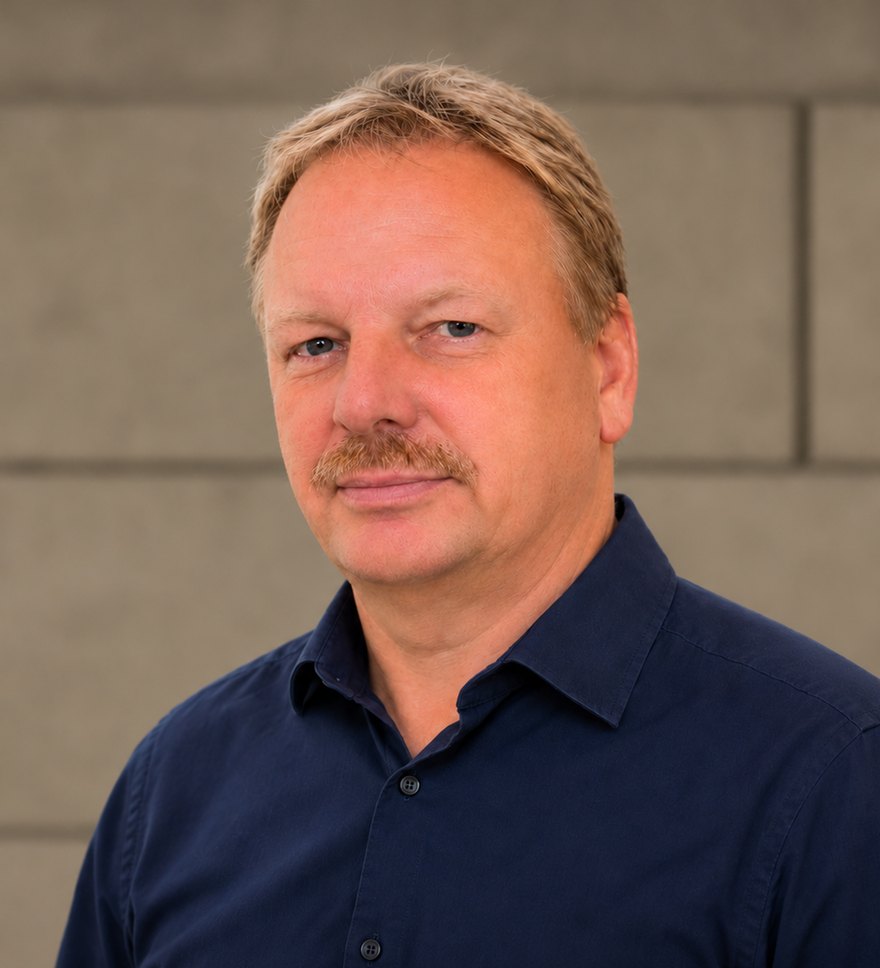

These are your main contacts. Behind them is a whole team of auditors, QM consultants, support staff and software developers working together for you. More about us
Onboarding support starts at €4,950 excl. VAT for 90 days. You know your fixed price before the start: In the initial consultation, we look at your documents and define the scope together.
from€4,950excl. VAT
for 90 days
The QM kickoff and project support through to certification are separate services with their own fixed price.
The most important answers on prerequisites, process, costs, and time required.
Ask another questionA 90-day program in which an experienced auditor from eQMS guides a company in moving its existing QM system to eQMS. It includes six sessions, from the kickoff conversation to the final check. The results are created directly in eQMS, and the auditor remains your contact afterward.
Yes. Onboarding support is for a QM system that already exists, in folders, files, or other software, and moves to eQMS in 90 days. If you want to build your QM system first, an auditor supports you in project support through to certification, and the QM kickoff can be your first step.
Building a QM system according to ISO 9001 usually takes about a year. Moving an existing QM system to eQMS is designed to take 90 days in onboarding support.
Six sessions with your auditor: a kickoff conversation with goals and schedule, process review with a look at your documents, setup of outline, document control, and permissions, a session on involving your employees, and the final check. Afterward, you have your QM in eQMS: processes, an outline with all valid documents, approvals set up, and the result of the final check with the next steps.
From €4,950 excl. VAT for 90 days online. You receive your fixed price after the initial consultation, tailored to your documents and your team. For on-site sessions, travel costs are added.
In the eQMS user training, our support team shows you how to set up and use eQMS. In onboarding support, you clarify the QM questions with an auditor: which processes and documents go into the system, what the structure and approvals look like, and what evidence an auditor expects. The two complement each other.
For software onboardings on the market, project managers typically plan about half a day per week. Your team needs the most time during the process review.
After the 90 days, your team works in a fully set up system, and the final check shows where you stand. An independent certification body decides on certification after the certification audit, and project support through to certification can accompany you on the way there if you wish.
An auditor at your side, six fixed sessions, and at the end a final check that shows where you stand. After 90 days, your team works in eQMS, and your auditor remains your contact.
Want to see beforehand what your QM can look like in eQMS? Then try eQMS free for 14 days.
Talk to us in person+49 34293 4797-37